← Frequently asked questions

MYTV.GDN SUPPORT

Find your MAC ID

Choose your app and device to see the right steps.

Current app · Fire TV Stick

1

Open the side menu

Press the Menu button (☰) on your Fire TV remote, then choose Help & Support.
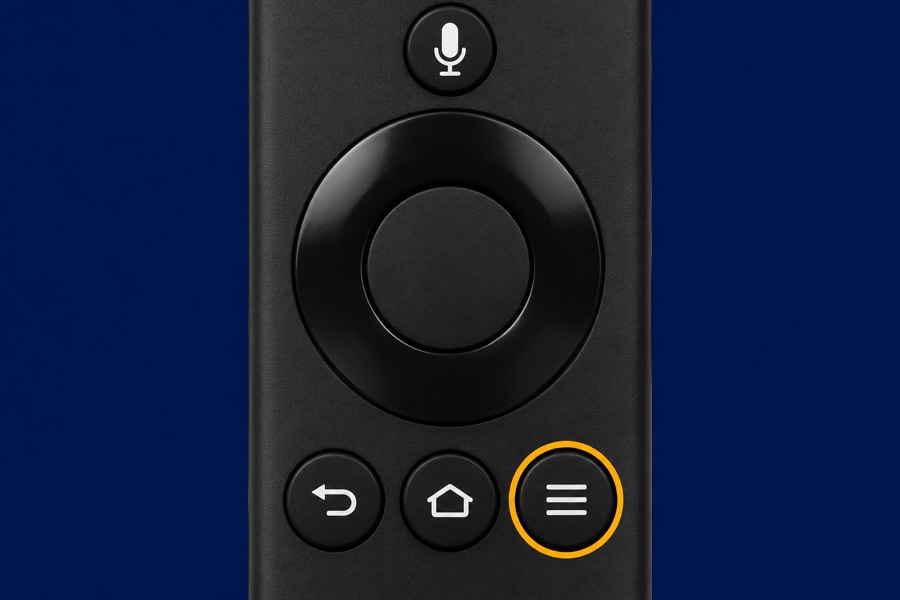
Fire TV remote with the three-line Menu button circled
Press Menu on the remote.
App side menu with Help and Support
Choose Help & Support.
2

Choose My Account

Select My Account in the Help & Support menu.
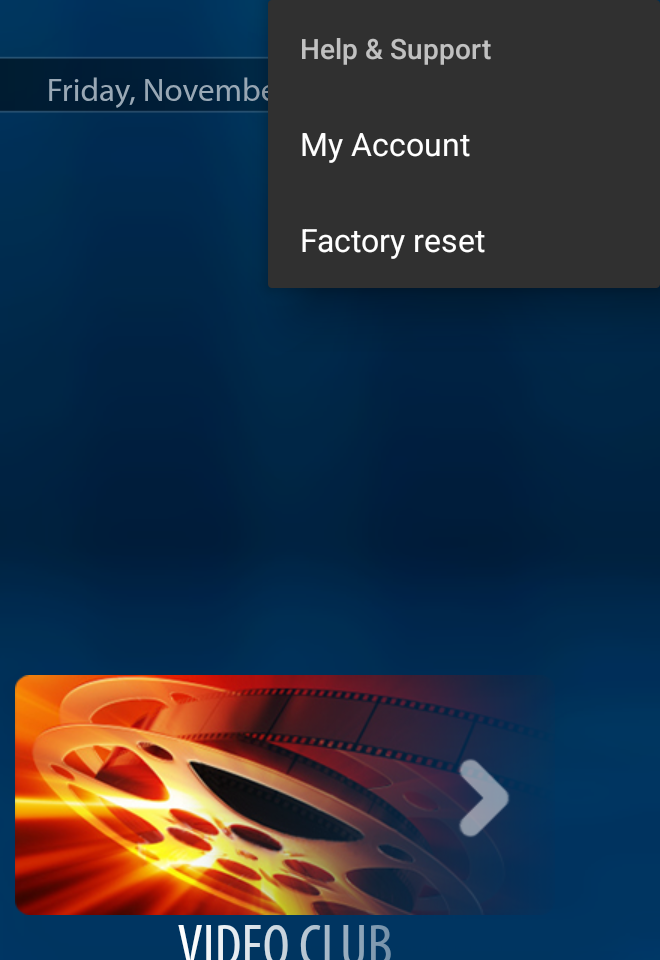
Help and Support side menu showing My Account
Help & Support menu
3

Photograph your MAC ID

Your full ID appears under Account MAC ID and starts with 00:1A:80:. Send us a clear photo of this screen on WhatsApp.

Send a photo on WhatsApp
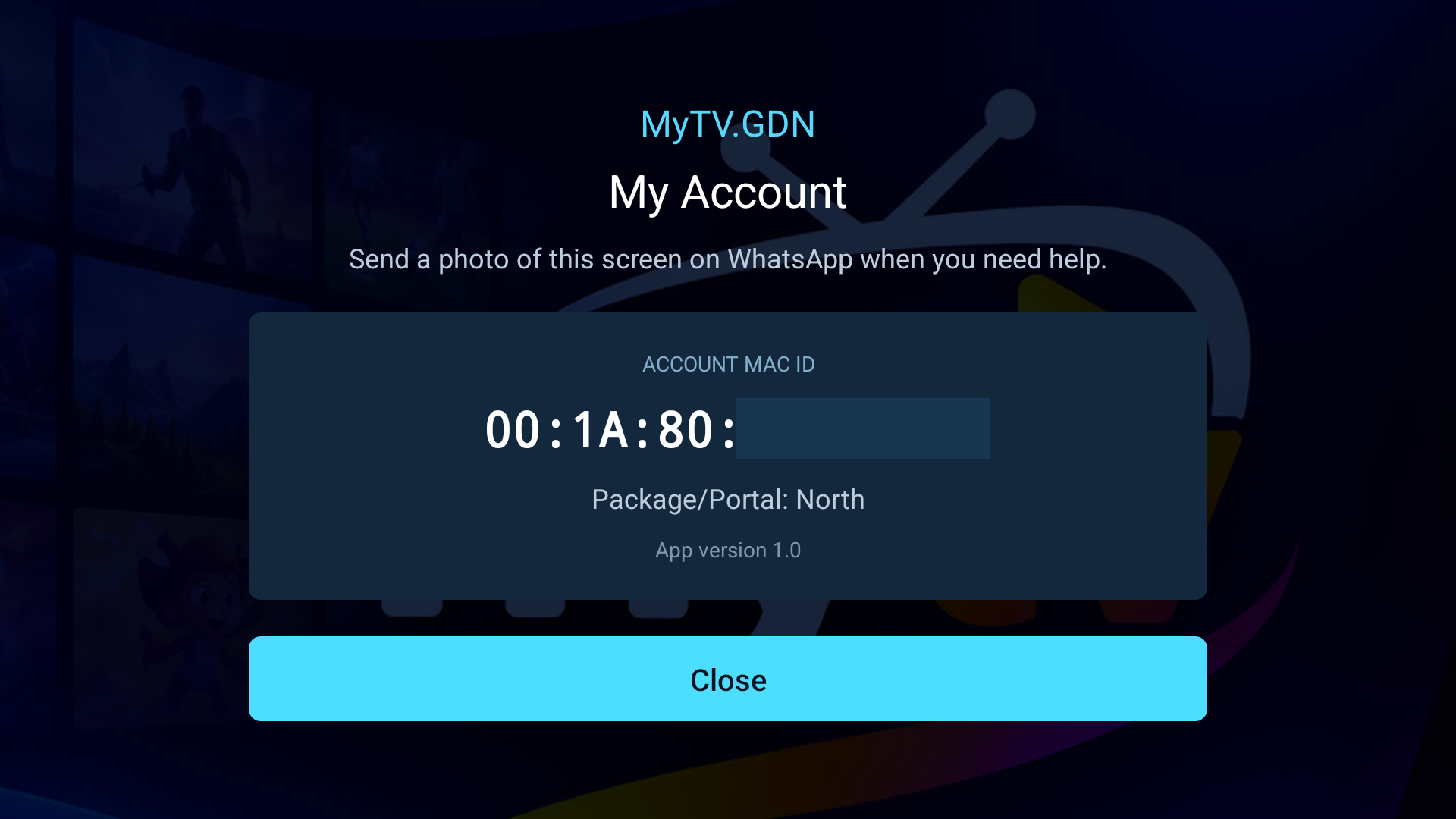
My Account screen showing the MAC ID location; the example ID is partially hidden
Example ID partially hidden

Your MAC ID also appears when the current app launches or reloads.

Current app · Google TV / Android TV

1

Open app settings

Hold the remote’s OK button to open the quick menu, choose the gear, then open application settings.
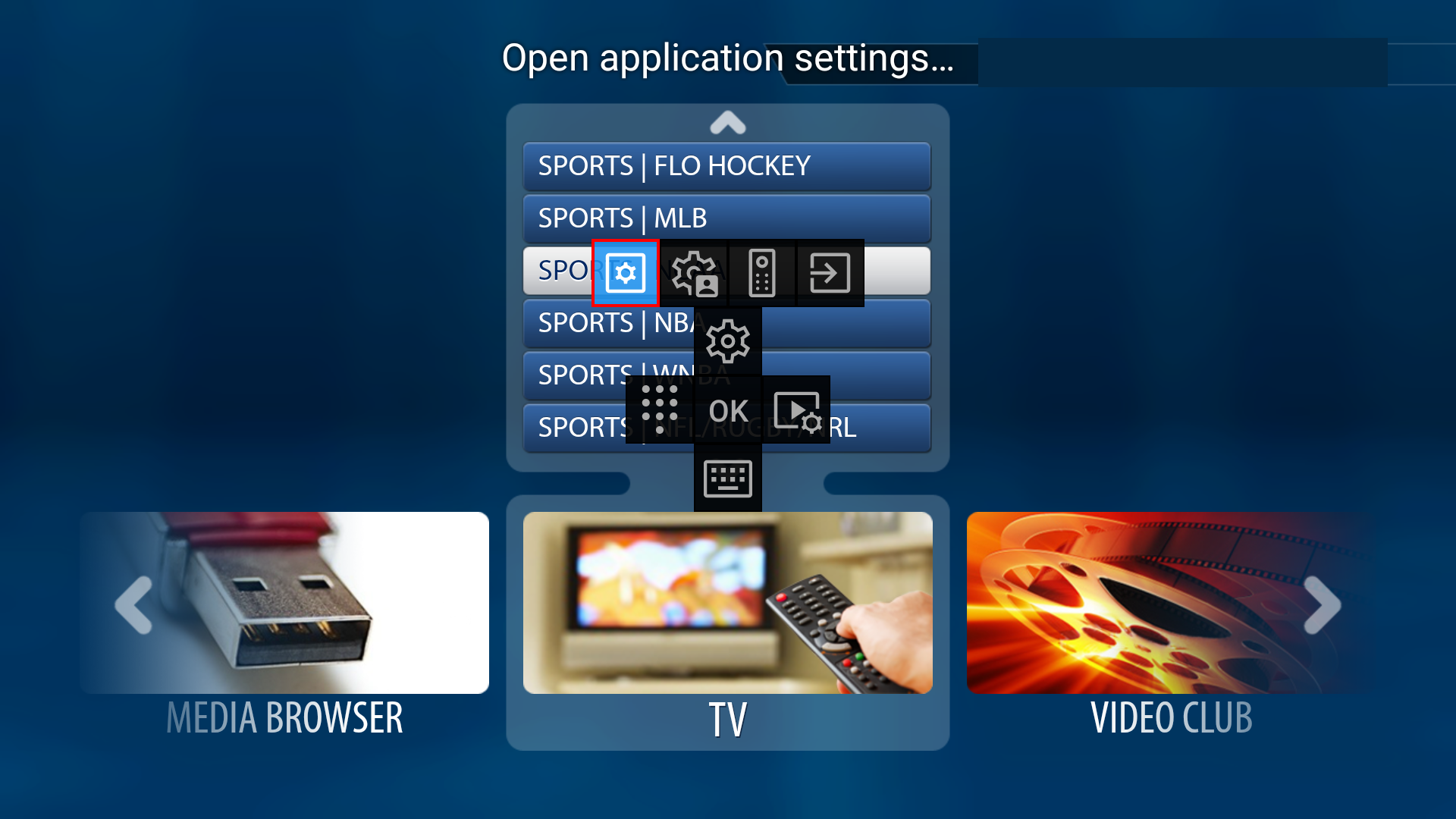
Android TV quick menu with application settings selected
Android TV quick menu
2

Choose Help & Support

Scroll down in app settings and select Help & Support.
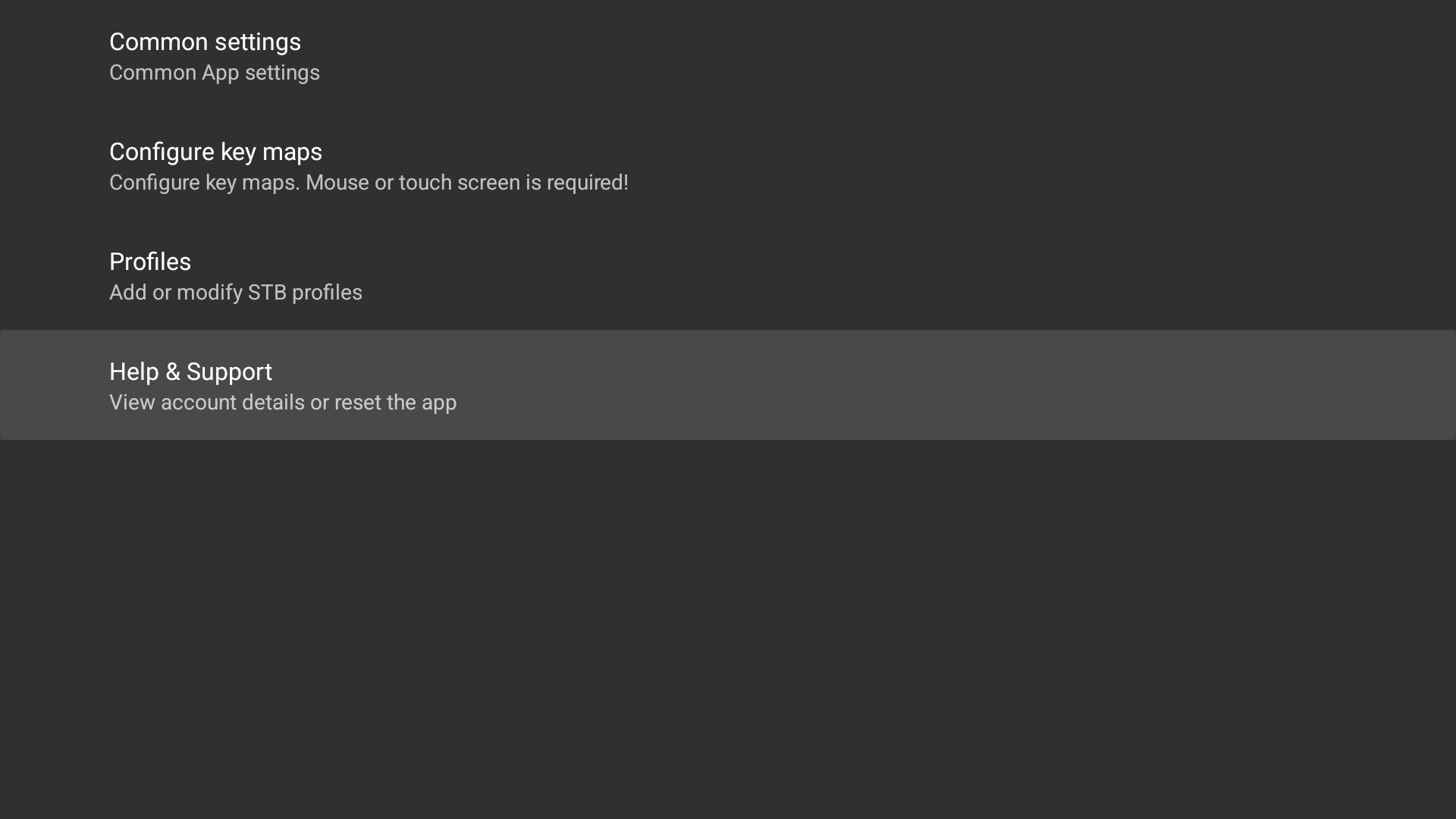
App settings with Help and Support selected
App settings
3

Select My Account

Choose My Account to open your account details.
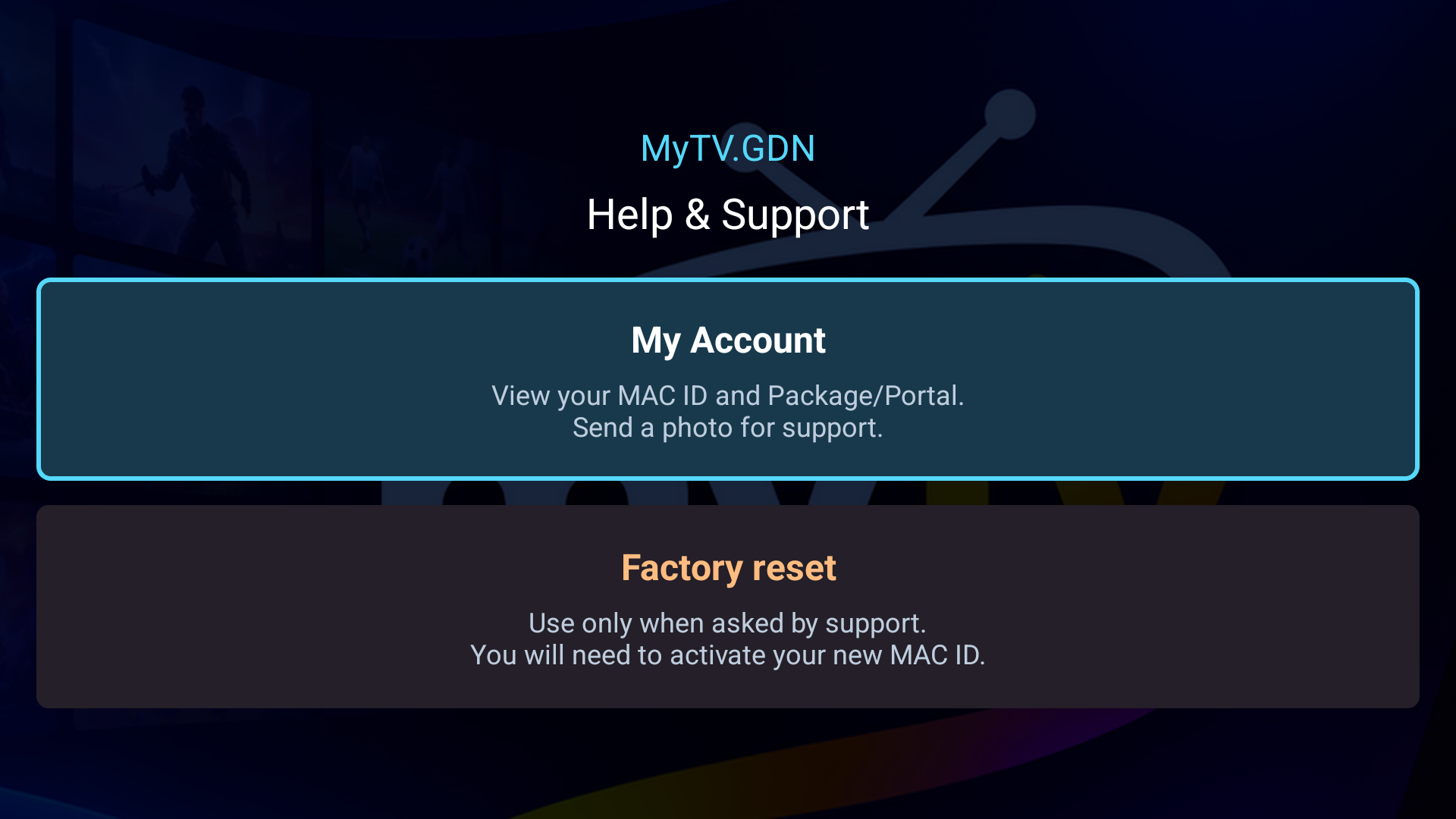
Help and Support screen with My Account selected
Help & Support
4

Photograph your MAC ID

Your full ID appears under Account MAC ID and starts with 00:1A:80:. Send us a clear photo of this screen on WhatsApp.

Send a photo on WhatsApp
My Account screen showing the MAC ID location; the example ID is partially hidden
Example ID partially hidden

Your MAC ID also appears when the current app launches or reloads.

Legacy app · Fire TV Stick

Use these steps if you have the older app. Select items using the directional ring and center button on your Fire TV remote.

1

Open Settings

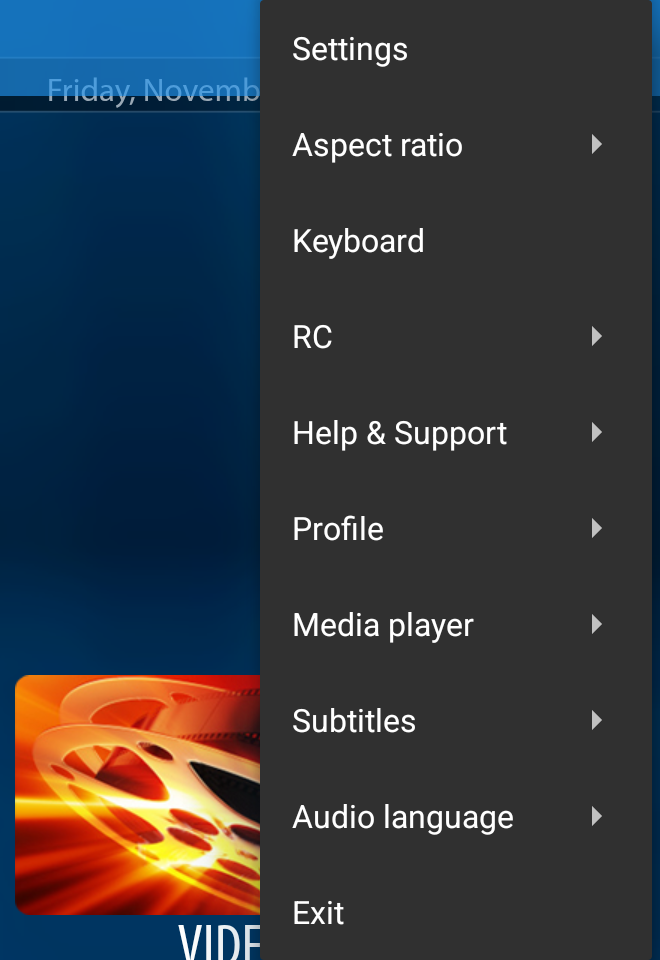
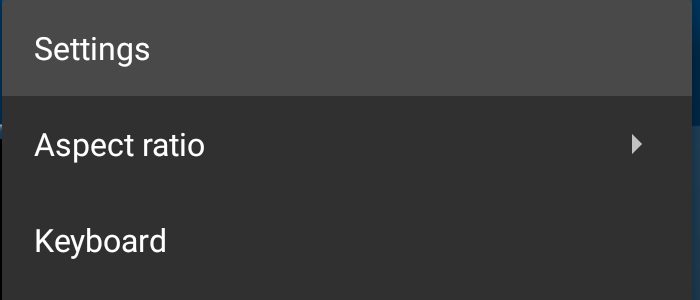
While in the app, press the Menu button (☰) on your Fire TV remote. Select Settings.
Fire TV remote with the three-line Menu button circled
Press Menu on the remote.
Legacy app side menu with Settings selected at the top
Choose Settings.
2

Choose Profiles

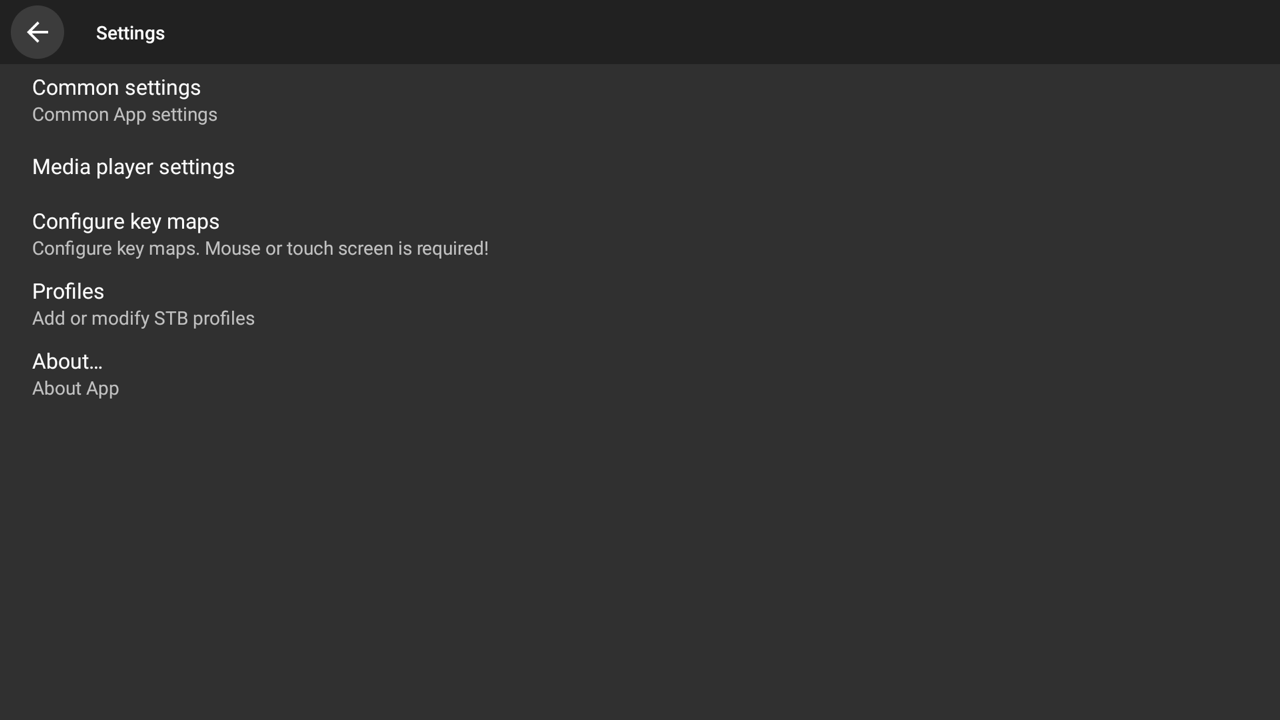
In Settings, select Profiles.

Legacy app Settings screen showing Profiles
Select Profiles.
3

Select a profile

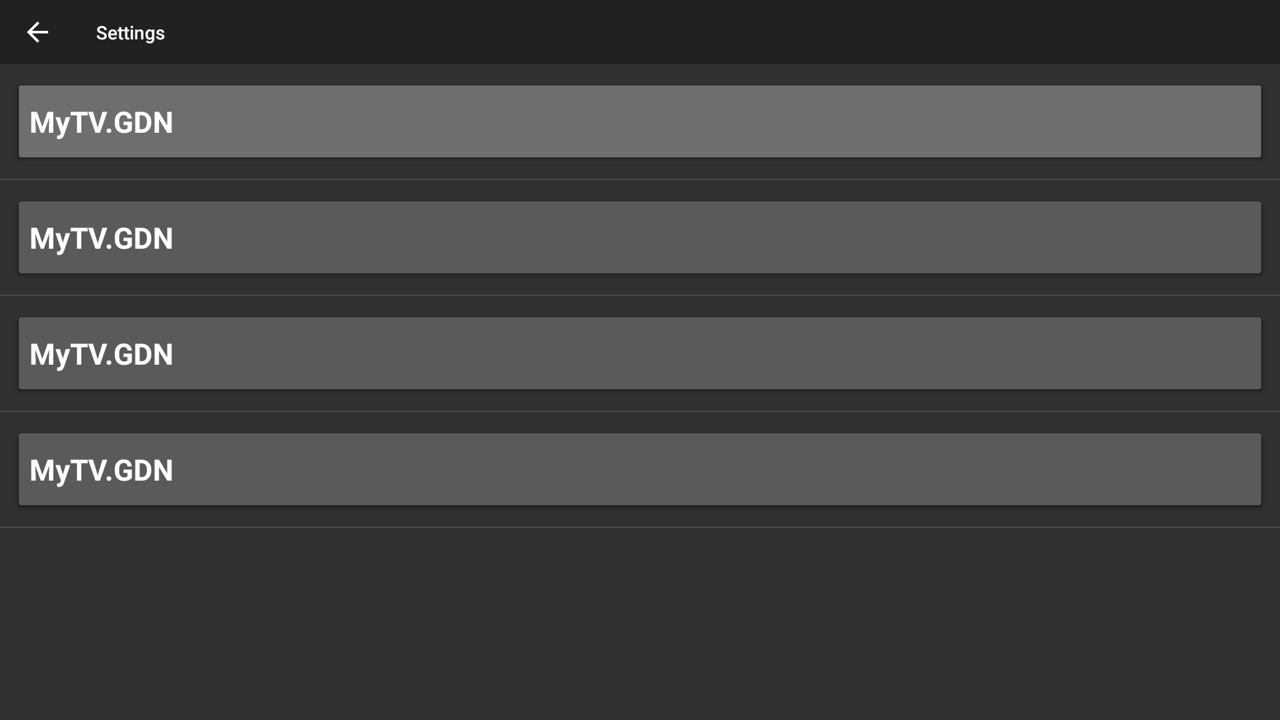
Choose any one of the four profiles.

Legacy app screen showing four profiles
Select any profile.
4

Open STB configuration

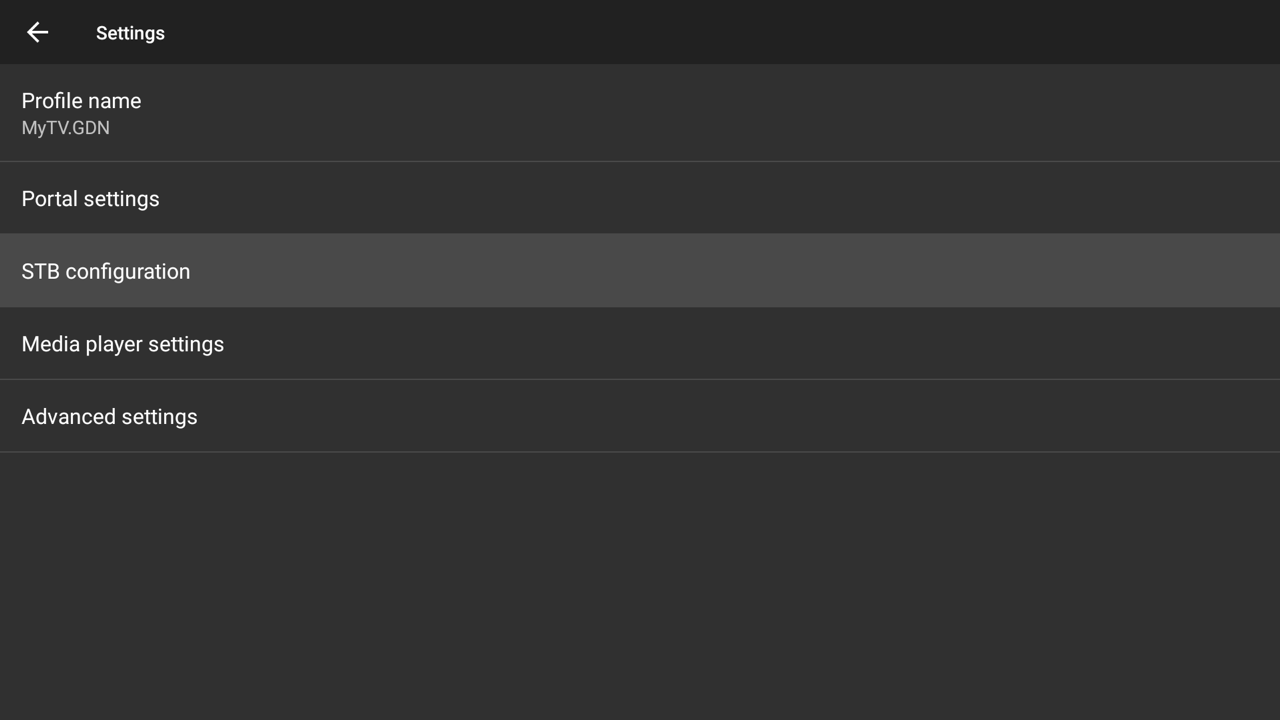
Select STB configuration.

Profile settings with STB configuration selected
Choose STB configuration.
5

Find MAC-address

Scroll to MAC-address and send us a clear photo of the full ID shown on your screen.

Send a photo on WhatsApp

Legacy app MAC-address field with the example ID partially hidden
Example ID partially hidden.