
Set up your computer
Install IPTVnator, add your portal, then contact us to finish setup.

Setup steps
- 1
Install IPTVnator
Windows
Linux
Make the AppImage executable before opening it.
- 2
Get your account details
Ask us on WhatsApp for the portal URL and MAC ID to use with IPTVnator. If you already have an account, check with us before reusing or changing its MAC ID.
Ask for setup details on WhatsApp - 3
Add your portal
Open IPTVnator, choose Add playlist → Stalker portal, and enter a name, the portal URL in Server URL, and the MAC ID confirmed by us. Leave other fields alone unless support provides them. Choose Add playlist.
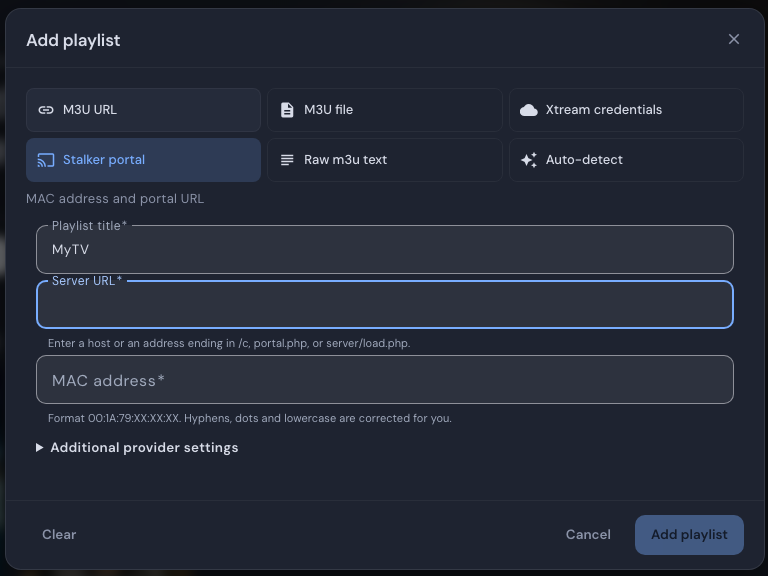
IPTVnator’s Stalker portal form on macOS. - 4
Connect and test
Once we confirm activation, open the source and try a channel. If it fails to connect or play, message us a screenshot of the error and confirm the portal and MAC ID you used.