Find your Fire TV model
You can check your device on the TV without the original box.
Check in Settings
Open Settings
From the Fire TV home screen, open Settings. Depending on your Fire TV version, it may be under the menu or shown as a gear.
Open About
Choose My Fire TV → About. Some devices call the first option Device & Software.
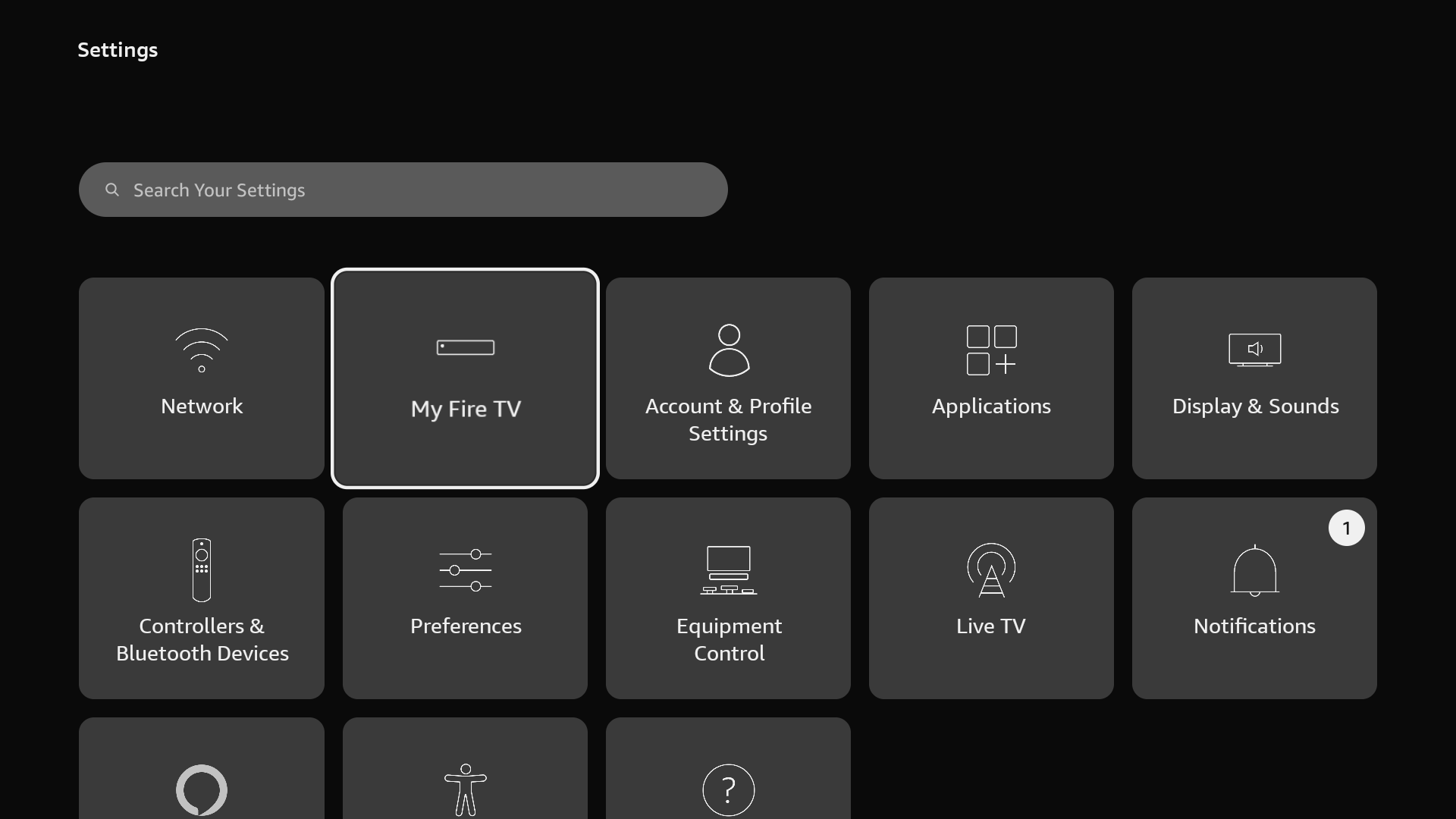
Choose My Fire TV. 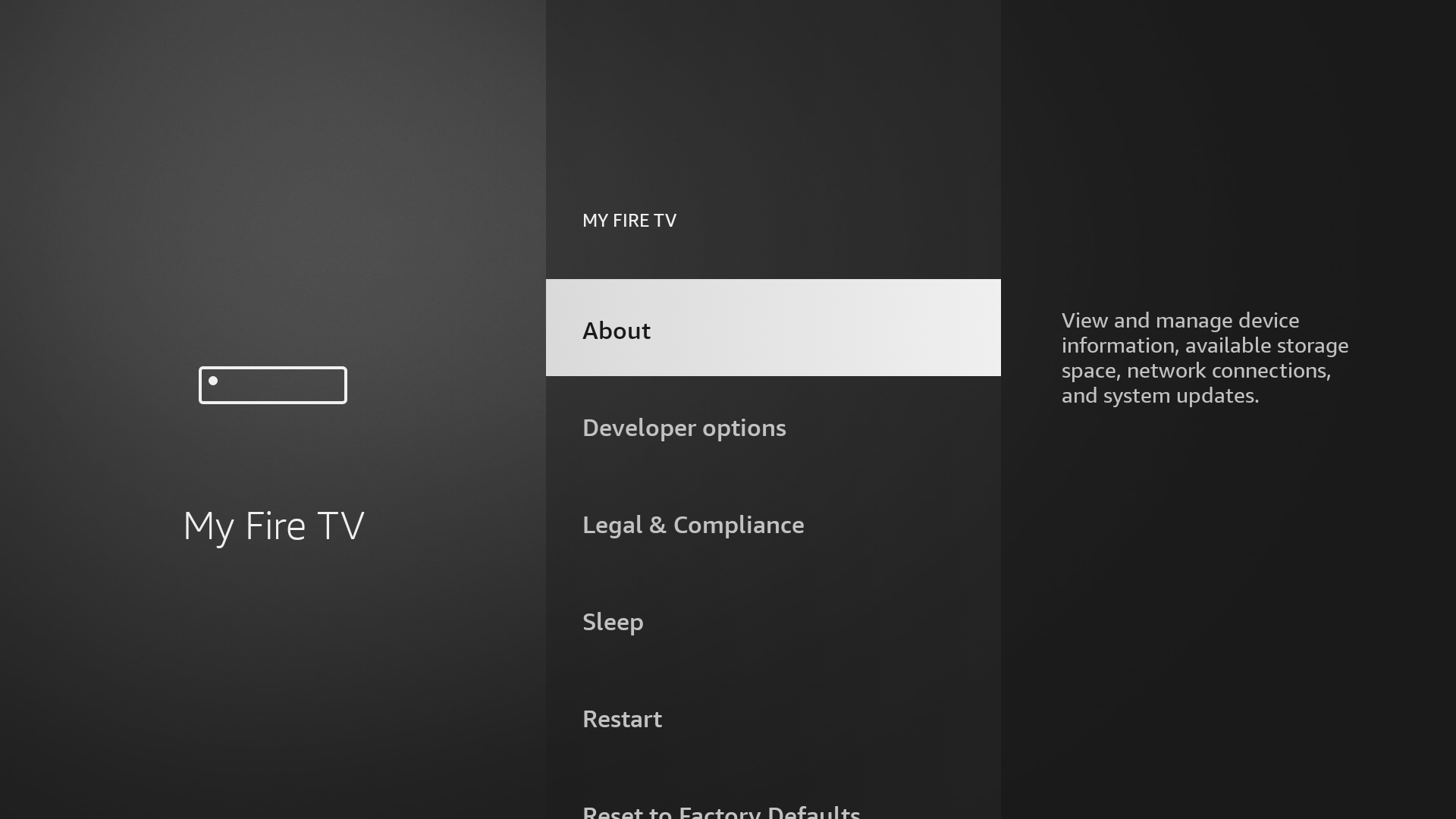
Choose About. Read the model
Look for Device Type on the About screen. The model may include 4K Plus or 4K Select. The name you gave your device in your Amazon account can be different from its model.
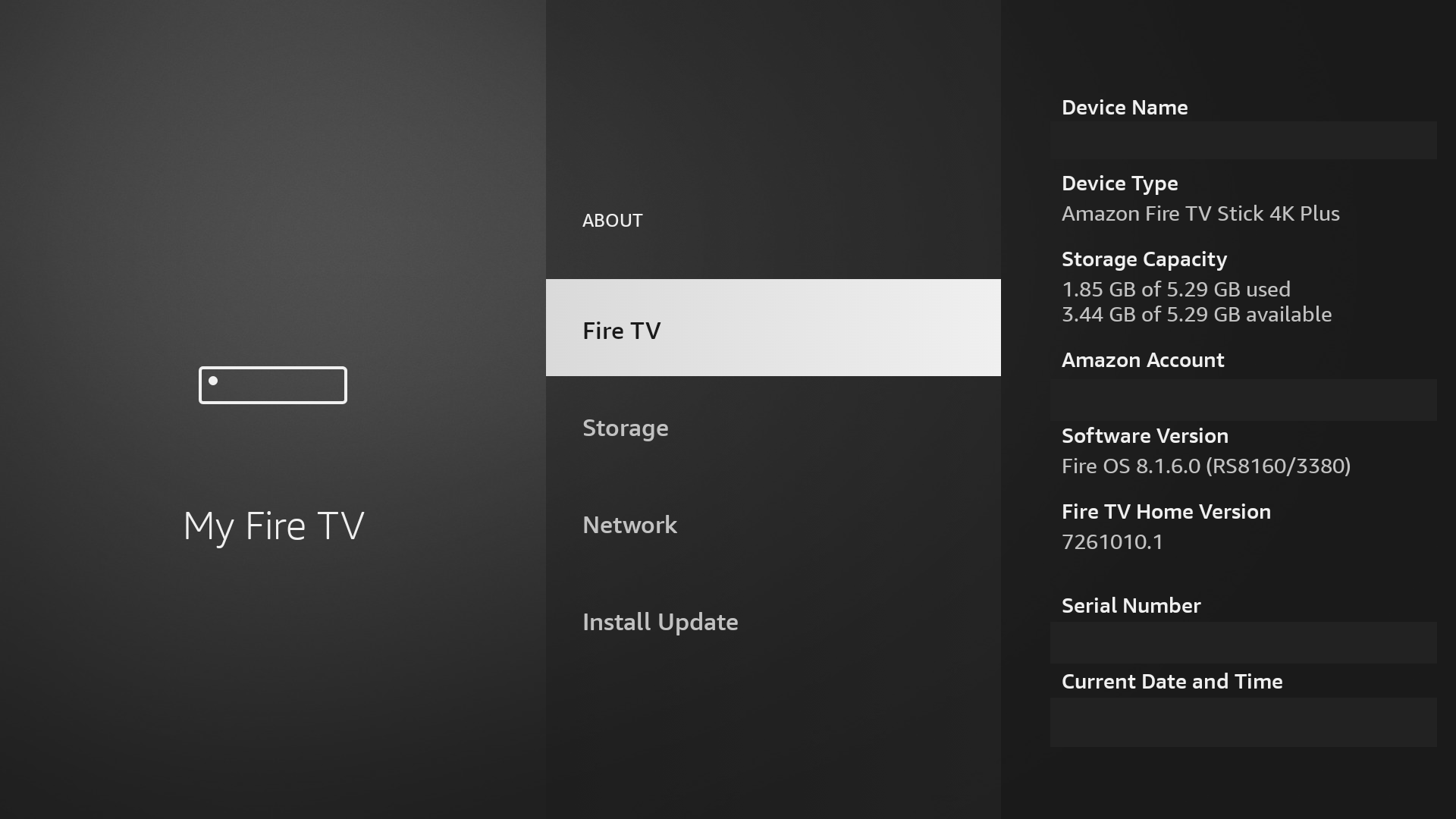
Example: Device Type shows Fire TV Stick 4K Plus. Personal details are hidden. The 4K Select uses Vega OS, so our Fire OS installer does not work on it. The 4K Plus uses Fire OS. Other models can differ; if the name is unclear, send us a photo of the About screen and we can help identify it.
Ask us about your model