
Allow Downloader on Google TV / Android TV

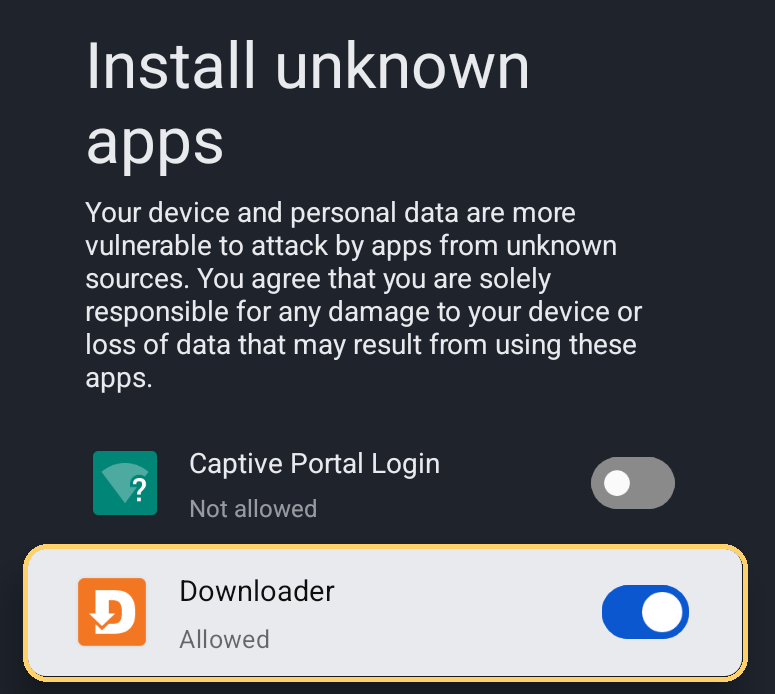
Allow Downloader when prompted. If the permission is missing, follow the Developer Options steps below.

Google TV Install unknown apps screen with Downloader highlighted and marked Allowed

Turn on Downloader

At the install prompt, select Settings and turn on Downloader.
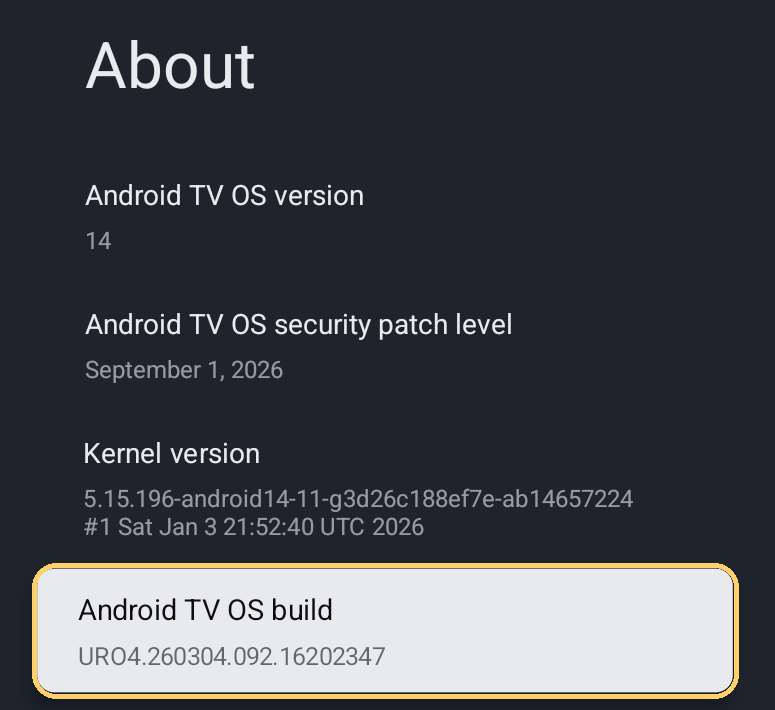
Google TV About screen with Android TV OS build outlined in gold
If the installer permission is hidden

Enable Developer Options

Open Settings → System → About. Highlight Android TV OS build and press OK seven times.
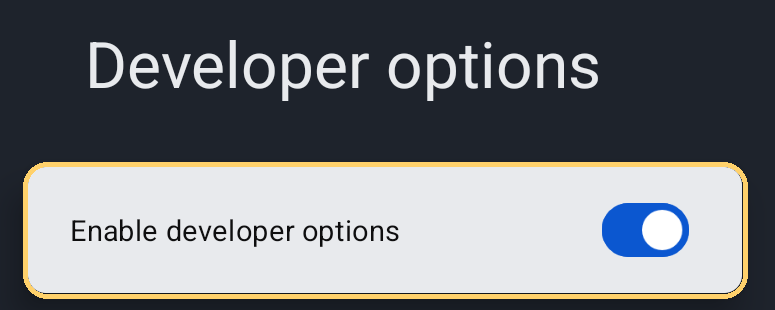
Google TV Developer options screen with the Enable developer options switch on

Return to Downloader

Press Back to check that Developer options appears under System. Return to Downloader and try installing the app again.

If your settings look different

Look for Install unknown apps under Settings → Apps → Special app access or Security & restrictions.

On some Android TV models, find Build under Settings → Device Preferences → About.

Continue Google TV / Android TV setup