1
Open the side menu
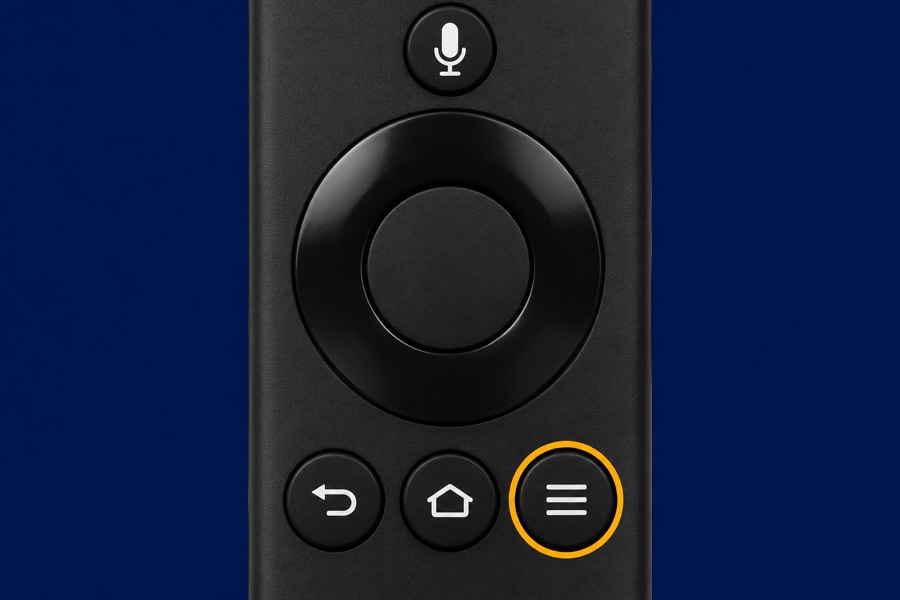
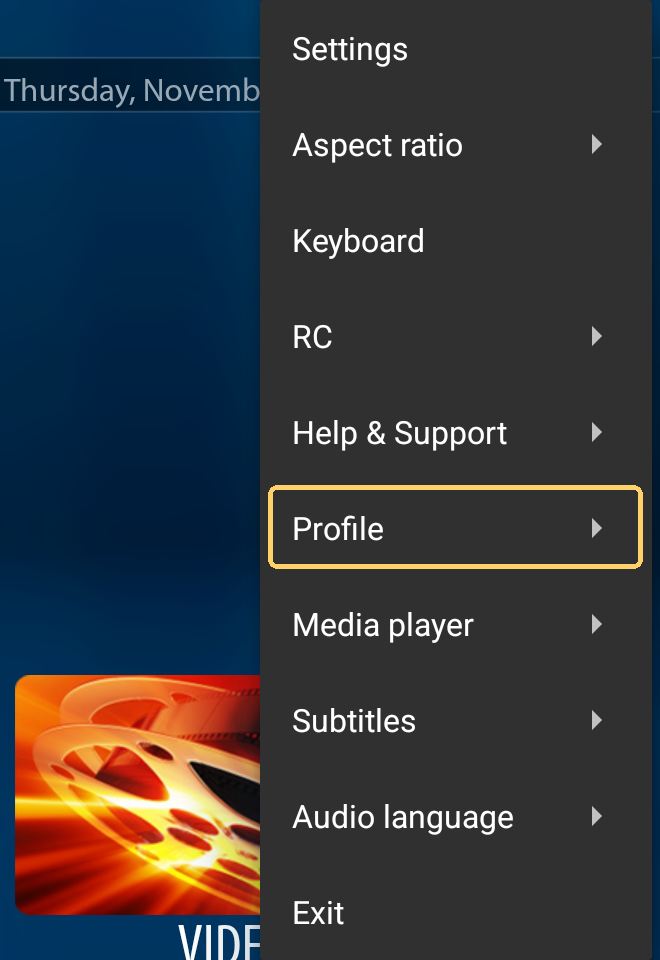
Press the Menu button (☰) on your Fire TV remote, then choose Profile in the side menu.
Open your app. Check your previous WhatsApp messages from us for the profile listed in your account activation message.
Press the Menu button (☰) on your Fire TV remote, then choose Profile in the side menu.
Select the profile named in your activation message to reload it.
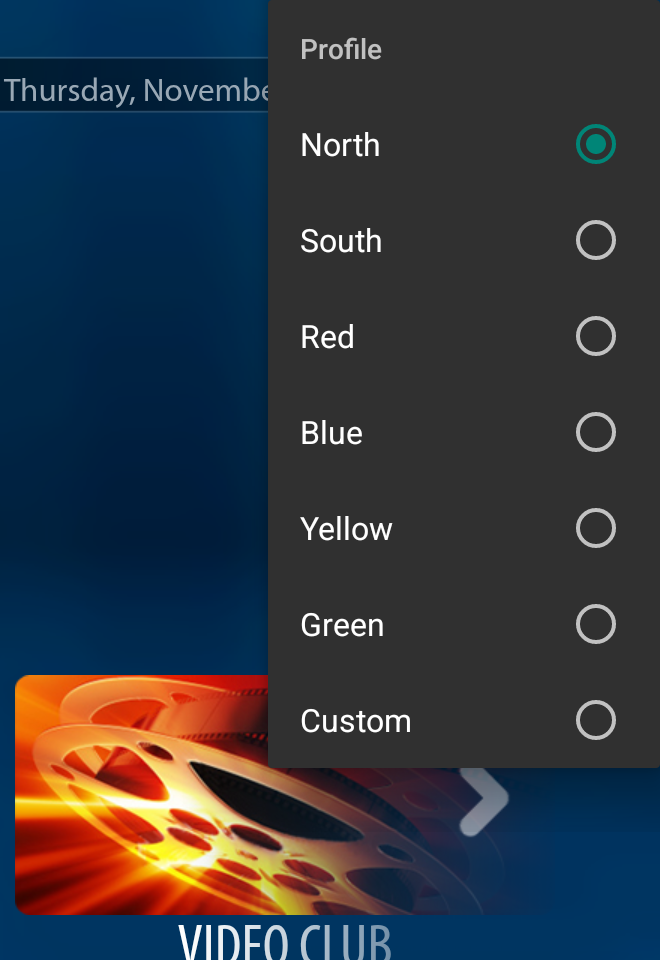
Press the Menu button (☰) on your Fire TV remote, then choose Profiles in the side menu.
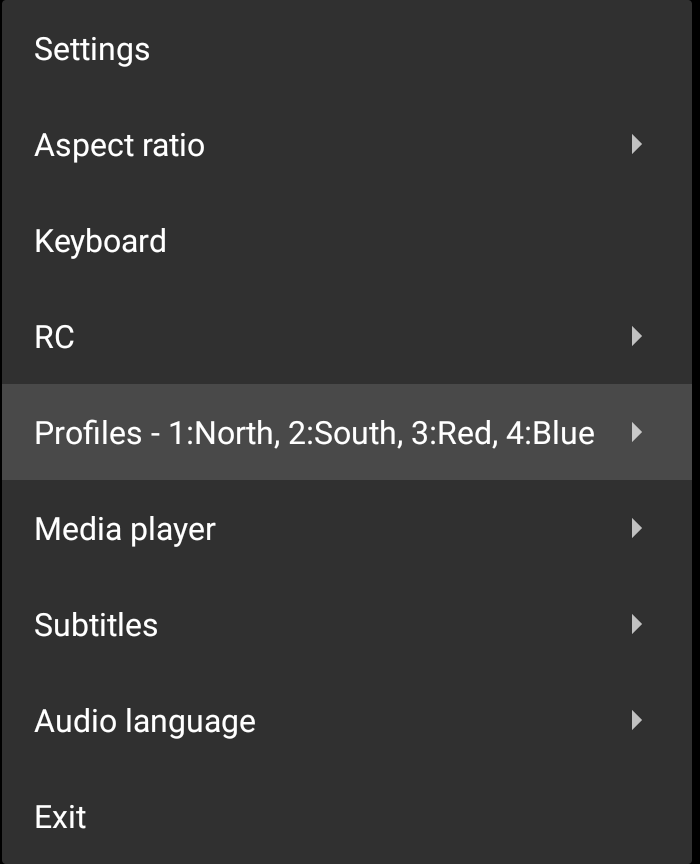
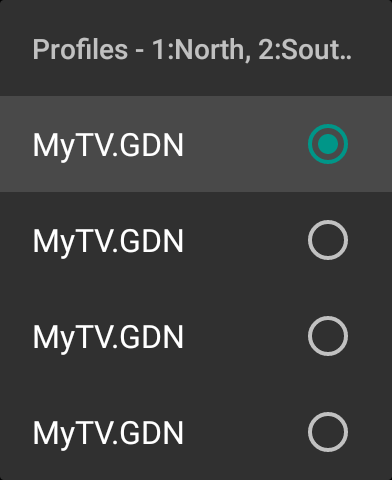
All four entries may have the same name. Count from the top and select the profile in your activation message.
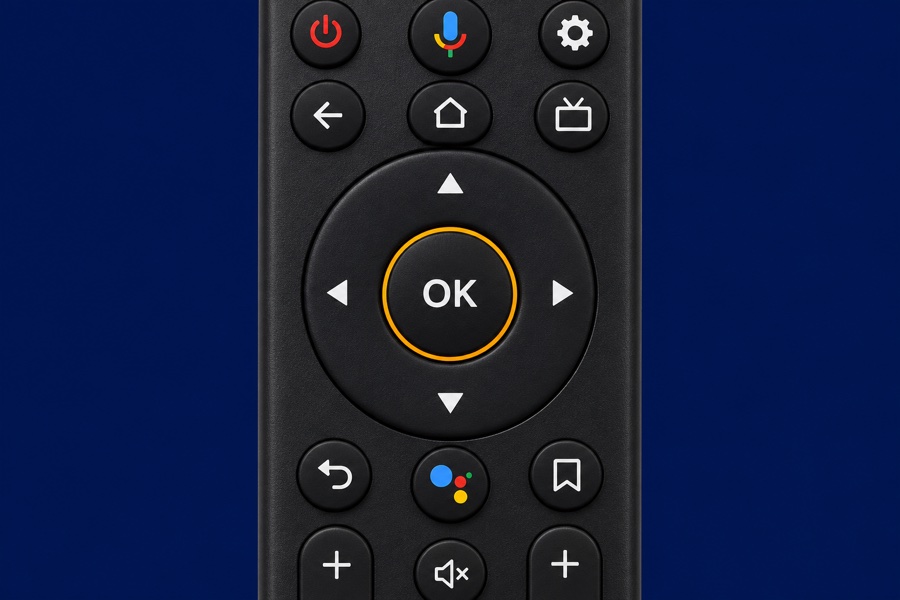
Hold the center OK button on your remote until the quick menu appears. Some remotes leave this button blank.
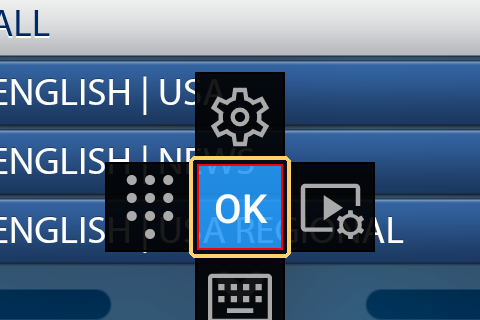
Press Right to highlight the screen-and-gear Menu icon.
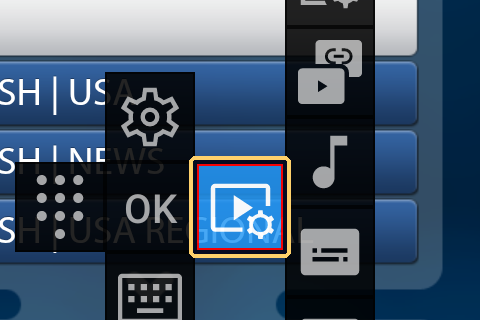
Press Right again to reach Profiles. Select the profile named in your activation message and press OK.
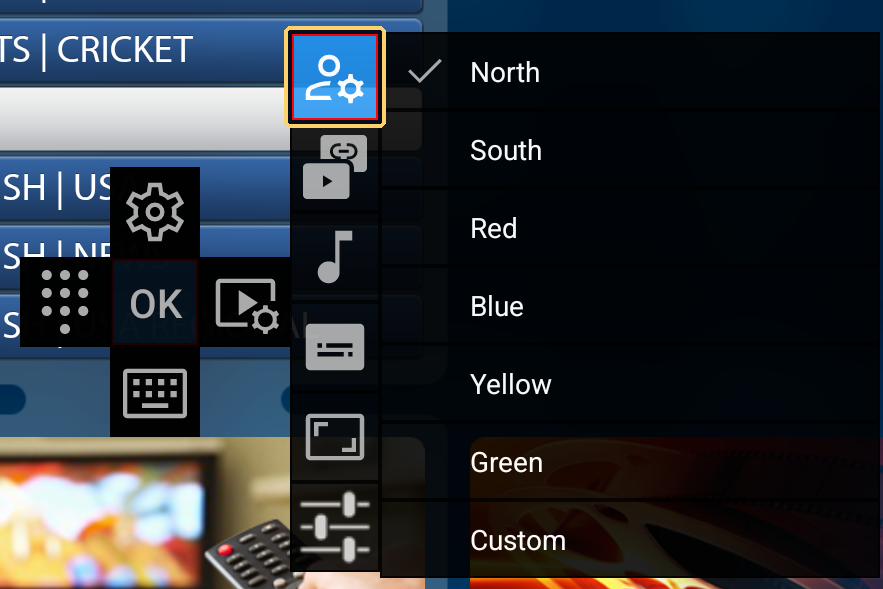
North, South, Red and Blue connect to different servers. Use the profile listed in your activation message. Learn about the servers.
If you can’t find your activation message, ask us which profile your account uses.