
1
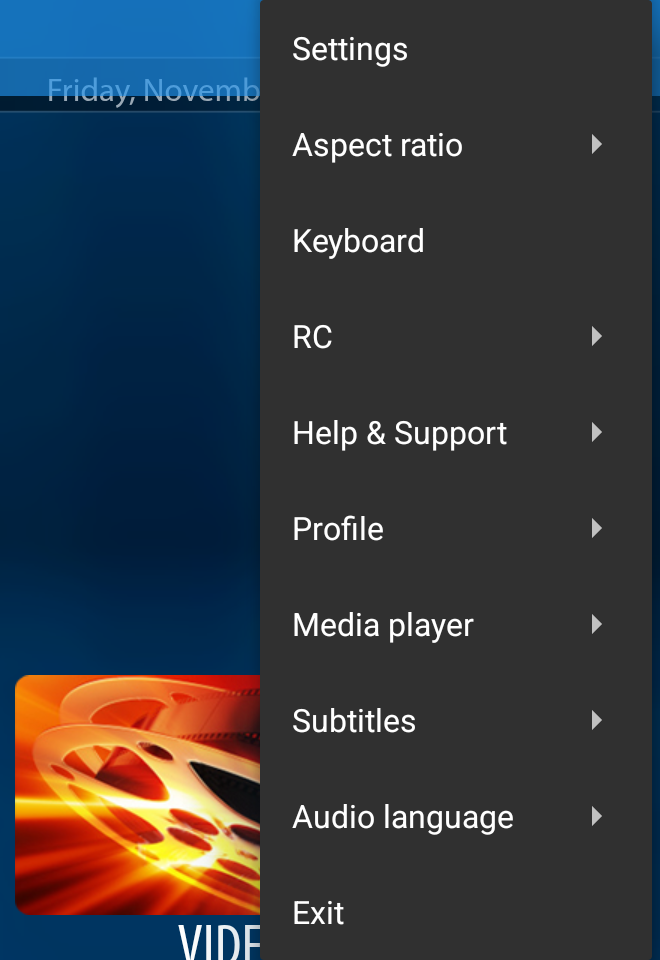
Open the side menu
Press the Menu button (☰) on your Fire TV remote, then choose Help & Support.
MYTV.GDN SUPPORT
Follow these steps only if MyTV.GDN support has asked you to reset the app.
Press the Menu button (☰) on your Fire TV remote, then choose Help & Support.
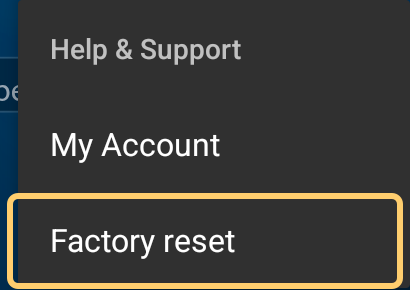
Only when support instructs you, select Factory reset and follow their directions.
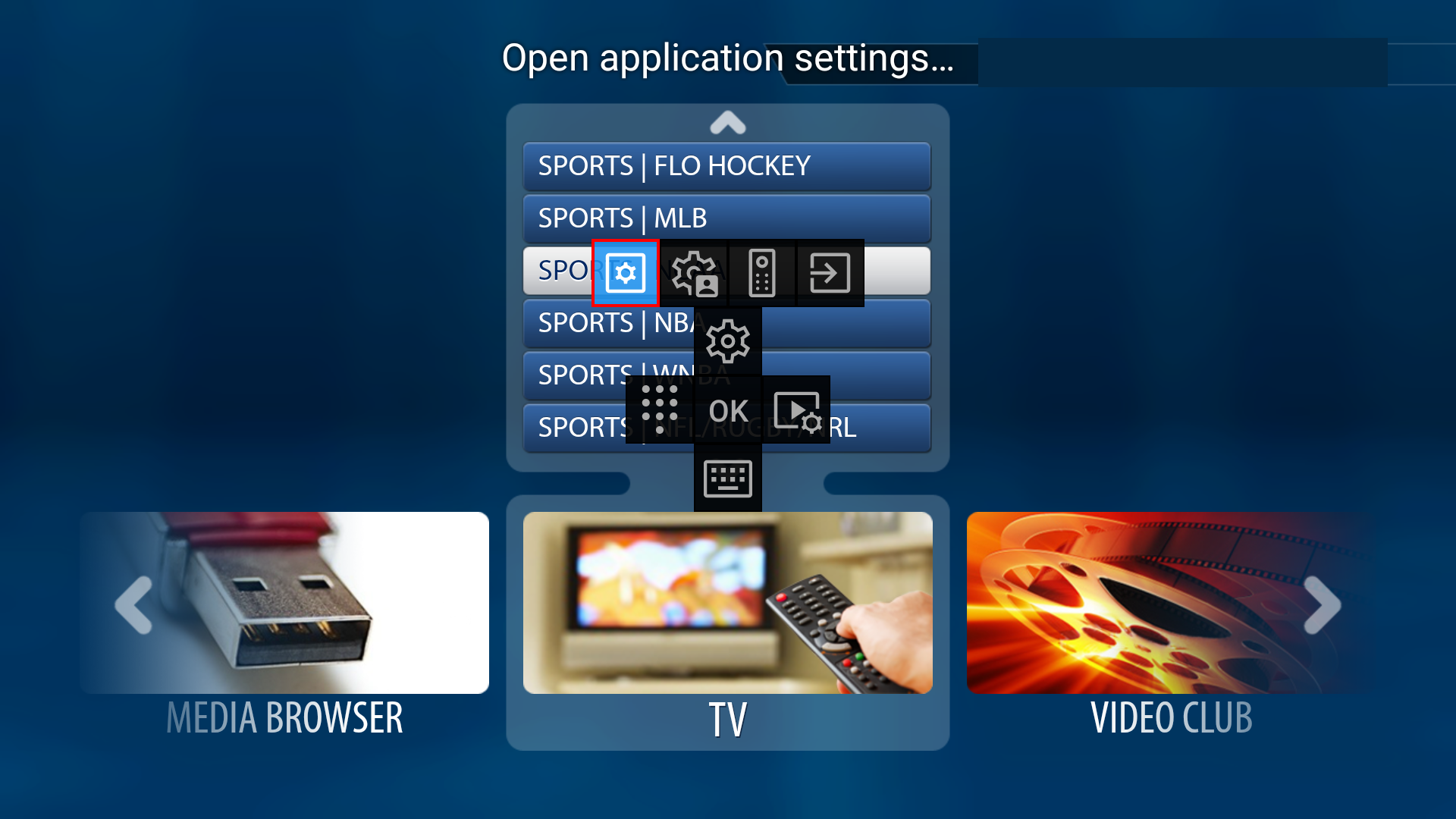
Hold the remote’s OK button to open the quick menu, choose the gear, then open application settings.
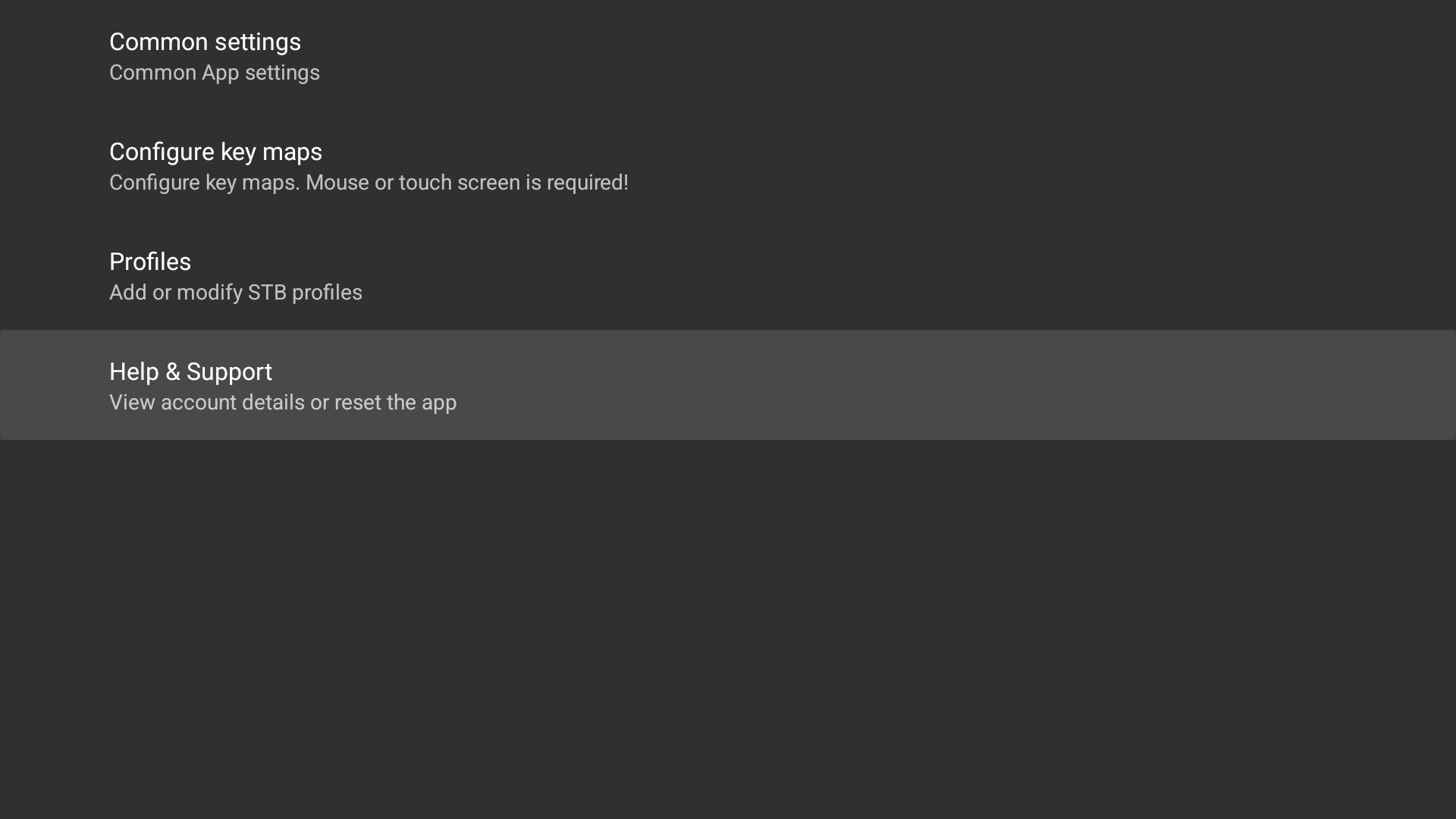
Scroll down in app settings and select Help & Support.
Only when support instructs you, select Factory reset and follow their directions.
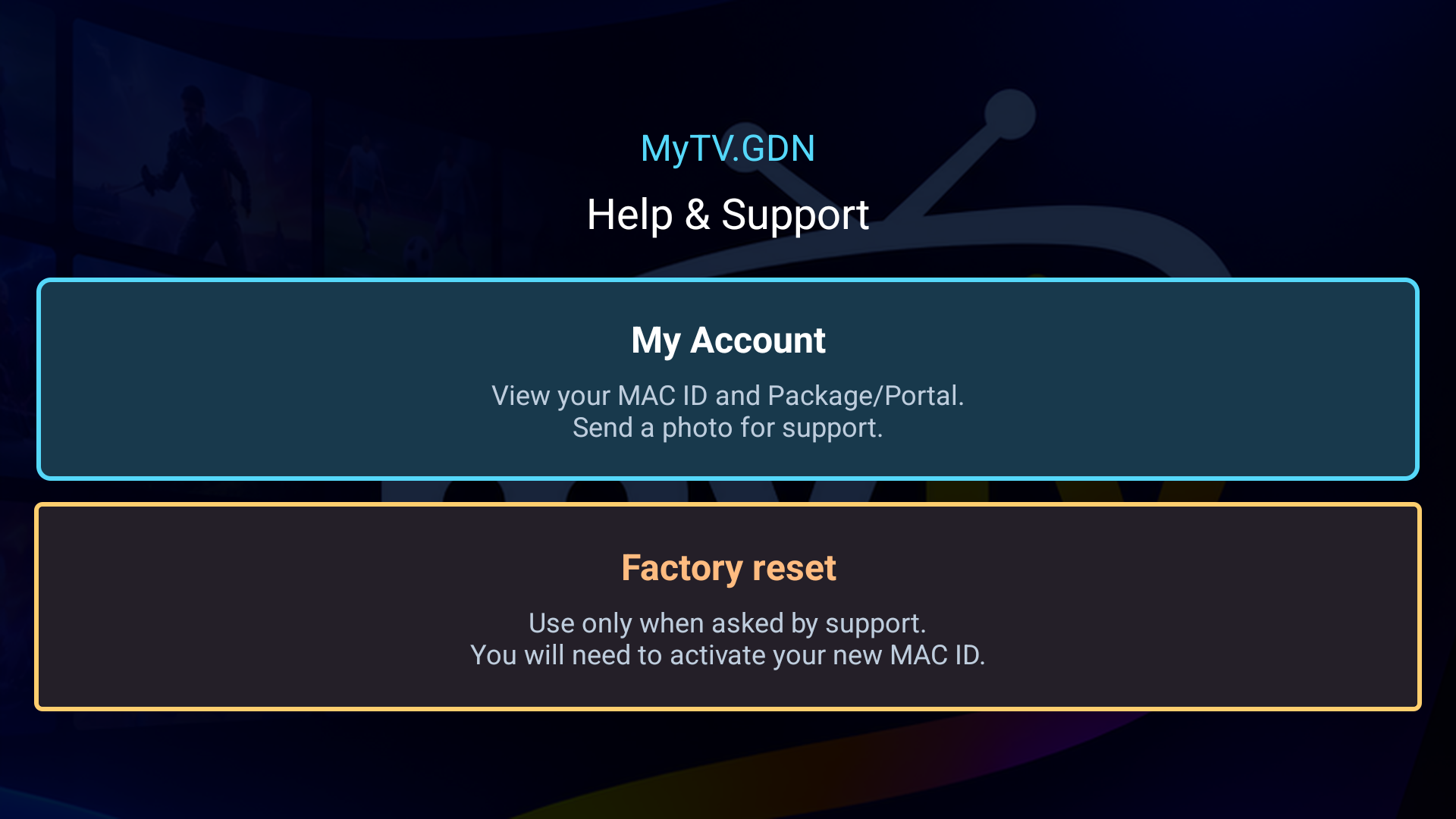
After a reset, contact support to reactivate the new MAC ID before using the app again.